
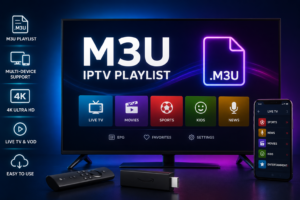
If you are exploring IPTV, you have probably seen terms such as M3U playlist, M3U URL, and M3U file. These terms can seem complicated at first, but the basic idea is simple.
An M3U playlist is a text-based playlist format that can organize media or IPTV streaming sources. Compatible IPTV players can read the information inside the playlist and display available channels, categories, and other metadata.
In this guide, we will explain what an M3U playlist is, how M3U files and URLs work, the difference between them, and how they can be used with compatible IPTV players.
Quick answer: An M3U playlist is a text-based file or URL that contains information about media or streaming sources. M3U itself is not an IPTV service or channel provider.
An M3U playlist is a text-based playlist format originally designed to organize multimedia files.
In IPTV, M3U playlists are commonly used to organize information about streaming channels. Depending on how the playlist is created, it may contain:
A compatible IPTV player reads this information and turns it into an organized channel list.
For example, instead of manually entering individual streaming addresses, a user can add one M3U playlist to a compatible application and allow the application to load the available entries.
It is important to remember that M3U is only a playlist format. It does not automatically provide television channels or video content.
For a more complete explanation, see our M3U IPTV Playlist: Complete Guide for 2026.
M3U is the name of a playlist file format used to organize multimedia locations.
The format is relatively simple because it is essentially text containing playlist information and references to media or streaming sources.
An M3U playlist can therefore be used for different types of media, including IPTV streams, provided that the application supports the format.
An IPTV M3U playlist is an M3U playlist used to organize IPTV streaming information.
Instead of storing the actual video inside the M3U file, the playlist generally contains information that tells a compatible player where the streams are located.
A typical IPTV playlist may contain hundreds or thousands of entries, organized into categories such as:
The exact categories depend entirely on the playlist source.
The process is relatively straightforward.
When you receive an M3U playlist from a legitimate source, you normally add it to a compatible IPTV player.
The general process looks like this:
The IPTV application is responsible for reading and displaying the playlist.
The M3U format itself does not play the video.
No.
This is one of the most important things to understand.
An M3U playlist is simply a way of organizing streaming information. The actual content comes from the sources referenced by the playlist.
This means that if a stream source is unavailable, expired, removed, or incompatible with your player, the corresponding channel may not work even though the M3U playlist itself loads correctly.
An M3U file is a playlist saved locally on your device.
It normally has an .m3u extension and can be opened or imported by applications that support the format.
For example, you might receive an M3U file from a legitimate media or IPTV source and save it to your computer, phone, or other supported device.
You can then import that file into a compatible player.
An M3U URL is a web address that points to an M3U playlist.
Instead of downloading a playlist file, a compatible application retrieves the playlist from the URL.
This can make playlist management more convenient because the playlist can potentially be updated by its source without requiring you to manually replace a local file.
However, availability depends on the source and the application being used.
Both options can provide the same basic type of playlist information, but they work differently.
| Feature | M3U File | M3U URL |
|---|---|---|
| Storage | Saved locally | Hosted online |
| Access | Imported into player | Retrieved from URL |
| Internet required to retrieve | Not always | Yes |
| Updating | Usually manual | Can be updated by source |
| Convenience | Simple for local playlists | Convenient for remote playlists |
Neither option is automatically better.
The right choice depends on how your playlist is provided and what your IPTV player supports.
An M3U playlist is usually made up of playlist information followed by media or streaming locations.
A simplified technical example can look like this:
#EXTM3U
#EXTINF:-1,Example Channel
https://example.com/stream.m3u8
The first line identifies the playlist format.
The following information describes an entry, followed by a URL pointing to a media or streaming source.
Real-world playlists can be much larger and may contain additional metadata.
Depending on the playlist structure, you may see information such as:
The exact structure can vary between playlist sources and applications.
You may also encounter the term M3U8.
M3U and M3U8 are related playlist formats, but M3U8 is designed around UTF-8 character encoding.
M3U8 is also commonly encountered with HTTP Live Streaming (HLS).
For most IPTV users, the most important point is compatibility.
If an application supports M3U but does not support the specific stream format being provided, the playlist may load while individual streams fail to play.
M3U and IPTV are not the same thing.
IPTV describes the delivery of television or video content through IP networks.
M3U is a playlist format that can be used to organize streaming sources.
A simple way to understand the difference is:
IPTV = the delivery method
M3U = a playlist format
An M3U playlist can therefore be used with IPTV content, but an M3U file itself is not an IPTV service.
Another term you may encounter when setting up IPTV is Xtream Codes.
M3U and Xtream Codes are different ways that compatible IPTV applications can receive and organize streaming information.
With an M3U setup, you commonly receive a playlist file or URL.
With an Xtream Codes setup, a compatible application may ask for information such as:
The best option depends on the service, player, device, and setup method available to you.
If you want a broader explanation of M3U and IPTV setup, visit our M3U IPTV Playlist Complete Guide.
Using an M3U playlist generally requires an application that supports the format.
The exact menus depend on the application, but the process usually looks like this:
Obtain an M3U file or URL from a legitimate source that you are authorized to access.
Install an IPTV or media player that supports M3U playlists.
Before choosing an application, check whether it supports:
Look for an option such as:
Save your playlist information and allow the application to retrieve and organize the available entries.
Open several channels to make sure the playlist and its streaming sources are working correctly.
For device-specific information, our M3U IPTV Playlist Complete Guide includes sections covering Firestick, Apple TV, Smart TV, and Android TV.
Yes, provided that the IPTV application you use supports M3U playlists.
The general process is:
The exact process varies depending on the application.
Yes.
Apple TV users can use M3U playlists through compatible applications that support the format.
The general process is:
Always check the application’s current compatibility before setting up a playlist.
Depending on your television operating system, you may be able to use an M3U playlist through a compatible IPTV application.
This can include platforms such as:
The available applications and installation process can vary between manufacturers.
An M3U playlist can fail for several reasons.
One missing character in a playlist URL can prevent it from loading.
Copy the URL carefully and make sure there are no extra spaces.
Some playlists are temporary or connected to an account or subscription.
If access has expired, the playlist may stop loading or individual streams may become unavailable.
A weak or unstable internet connection can cause buffering or prevent streams from loading.
Test another website or streaming service to determine whether the problem is related to your network.
Not every IPTV player supports every playlist configuration.
If the playlist does not load, check whether your application supports the specific M3U format.
Sometimes the playlist itself loads correctly, but some channels do not play.
In that situation, the problem may be with individual streaming sources rather than the M3U playlist.
If an M3U playlist has been damaged or incorrectly edited, an IPTV player may not be able to read it correctly.
Keep a backup before making changes to a playlist.
The M3U format itself is free.
However, that does not mean every playlist or every stream is free.
An M3U playlist may contain:
Always make sure that you have permission to access the content referenced by a playlist.
The M3U format itself is simply a technical playlist format.
The legality of the content accessed through an M3U playlist depends on the source and the rights associated with that content.
For this reason, users should choose legitimate streaming sources and services and follow the applicable laws in their country.
You should also avoid downloading unknown files or entering account credentials into suspicious applications or websites.
An M3U playlist is a text-based format, but the sources referenced by a playlist can come from many different locations.
For safer use:
Remember that an M3U file does not automatically guarantee that every streaming source inside it is safe or legitimate.
M3U playlists have several practical advantages.
The format is relatively simple and is supported by many media applications.
M3U playlists can be stored as local files or accessed through URLs.
Large collections can be organized into groups and categories when the playlist contains appropriate metadata.
Depending on the application, M3U playlists can work across devices such as computers, Smart TVs, Firestick, Apple TV, Android TV, and other compatible platforms.
An M3U playlist is a text-based playlist format used to organize media or streaming locations and related metadata.
No. IPTV is a method of delivering television or video through IP networks, while M3U is a playlist format that can organize IPTV streams.
An M3U URL is a web address that points to an M3U playlist that a compatible application can retrieve.
An M3U file is a playlist saved locally on a device. A compatible application can import and read the file.
Yes, if the IPTV application installed on the Firestick supports M3U playlists.
Yes. You need a compatible application that supports M3U playlists or M3U URLs.
Depending on the Smart TV platform, you may be able to use M3U through a compatible IPTV application.
No. M3U is only a playlist format. The actual content comes from the streaming sources referenced by the playlist.
M3U itself does not determine video quality. Quality depends on the actual stream source, player, device, and network connection.
Common causes include an incorrect URL, expired access, unavailable streaming sources, network problems, player incompatibility, or a damaged playlist.
Neither is universally better. M3U uses a playlist file or URL, while Xtream Codes can use server and account credentials through supported applications. The best option depends on your setup.
An M3U playlist is simply a practical way to organize media and IPTV streaming information.
Once you understand the difference between an M3U file, an M3U URL, and the actual streaming source, IPTV setup becomes much easier to understand.
The most important things to remember are:
For the complete technical walkthrough, device setup instructions, troubleshooting, and additional M3U topics, continue to our M3U IPTV Playlist: Complete Guide for 2026.